Alessandro valentino
Gesturize
Artist training hub
Boost your drawing skills with Gesturize, the ultimate timer app for artists. Perfect for practicing and learning gesture drawing!

Functionality
Filled with functionality
I developed this app to make training your drawing skills as efficient as possible.
Utilize the timer, libraries, graphs, custom training and more
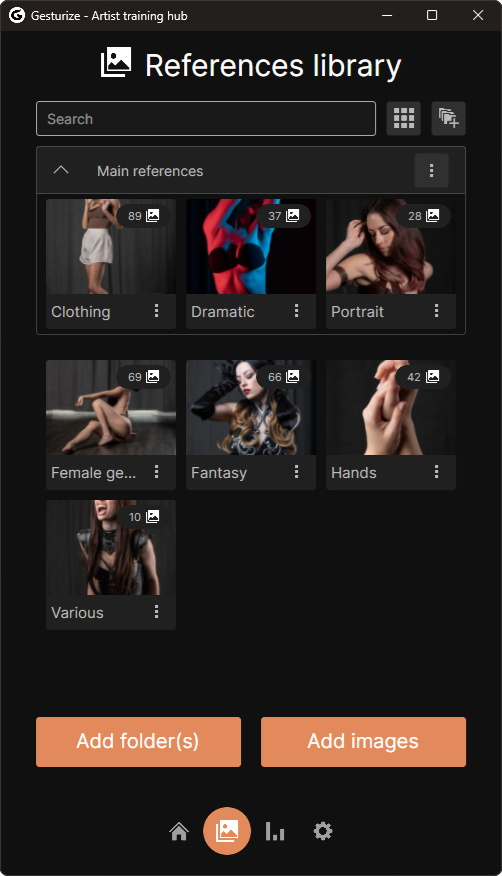
Libraries
Create a curated libraries by importing your references, giving custom names and grouping them however you want.
You can import single files or whole folders!
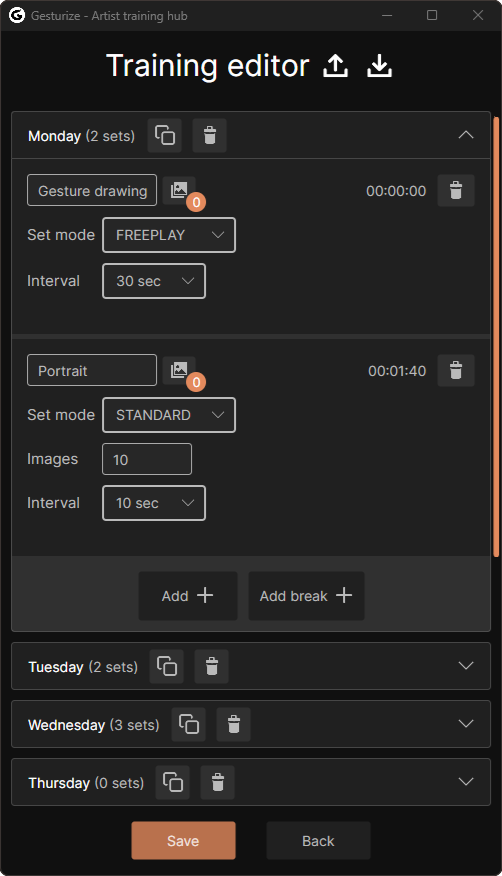
Custom training
If the available training modes are not enough for you, you can chose to create custom training for every day of the week. For every entry you can decide timing and which libraries to use, and more!
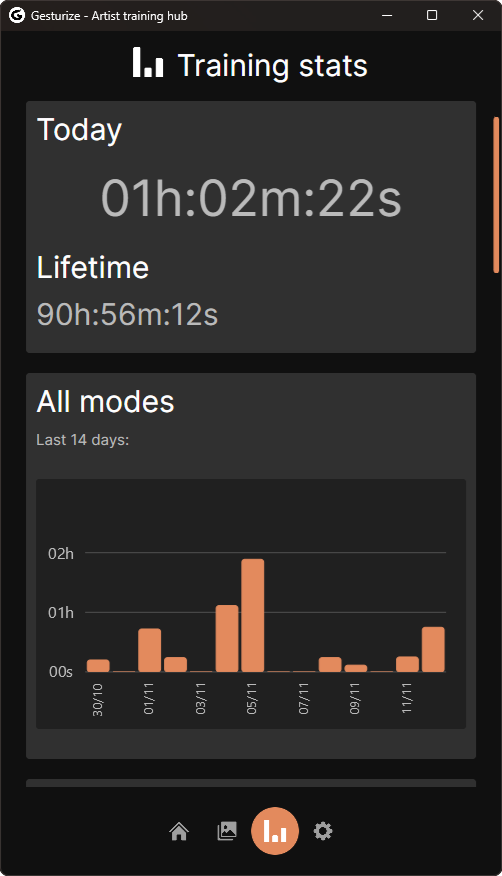
Time graphs
The time you spend training is displayed in the stats. Here you can see how much time you spent in the overall training or see how much time you spent in every training mode.
Timer app
Display your images
Start training selecting one of the training modes and use the libraries you want!
Different training modes
There are 5 training modes, going from simply setting a timer in between images, to being able to completely customize how to time the training
Reference controls
During training you can decide if the images are displayed at random, if they are randomly flipped or displayed in grayscale
Pin over other apps
While in training you can pin the app so that you can keep it on top of your preferred drawing program without it being hidden by it. Handy if you only have one monitor to work with
where to get the full version

$20

$20

$20
where to get the trial version

$0

$0

$0
More information
Create libraries
You can create custom libraries from your references and use them coupled with any available training. A library can be created by choosing a folder or individual files. Once a folder is selected, all files in it and its subfolders will be loaded and added to the library for future use.
Sessions and custom training
Use pre-established sets of training sessions or create your own custom training for every day of the week. You can choose between Standard, Class, Fixed, or Custom training:
Standard training: Choose a time interval as well as the libraries you want to use and keep drawing until you decide to stop.
Class training: Choose among different class lengths, ranging from 30 minutes to 3 hours. Each class has different sets of sessions, starting with quick drawings and moving into longer ones later on.
Fixed training: Choose a number of images, a time interval, and start drawing until there are no images left.
Freeplay training: Set a timer for the whole session and you are the one to decide when to change images. Useful when you want to be less strict about the length of a single figure drawing
Custom training: Assign custom training to each day of the week. Each day consists of a list of customizable drawing sets.
In the custom training, each set has a name, an amount of images, and a timer for each image, all configurable beforehand. You can also assign different libraries to different sets, allowing complete freedom in how you train. Custom training can also be exported and imported for creating backups or sharing with friends!
Drawing statistics
Gesturize offers statistics for each type of training. This lets you track the time spent training in each mode when the timer is enabled. Using the graphs, you can track:
Today's time spent in a certain mode
Total time spent in a certain mode
The time spent in a training mode on specific days in the last 14 days
Fully customizable
The app offers two main themes, light and dark. If you want more, you can change nearly all of the colors used by the base UI, allowing every user to create a personalized theme.
System requirements
Windows 8/10/11
Supported images: JPG, JPEG, PNG, BMP
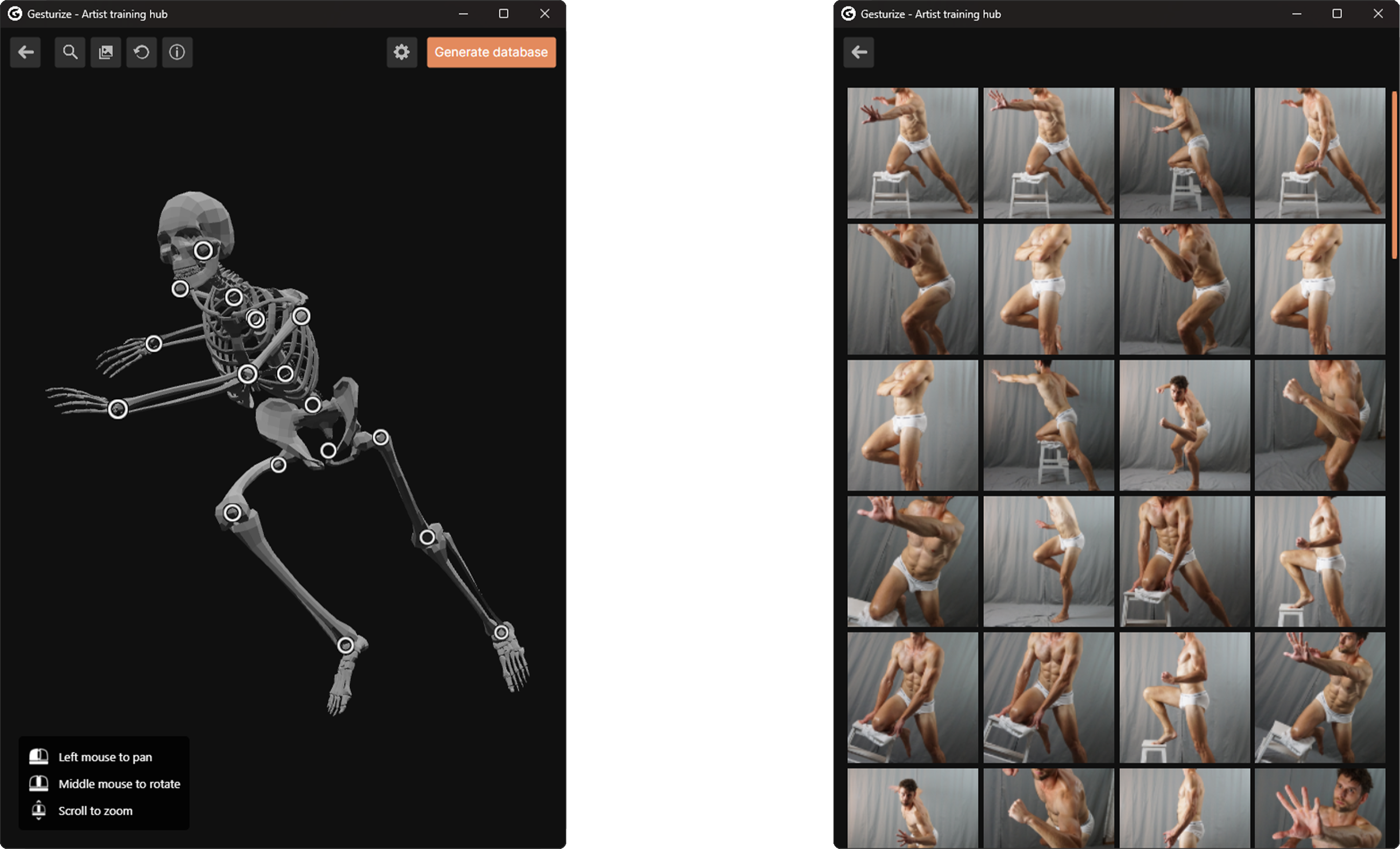
New pose finder
The pose finder lets you pose a skeleton inside the app, and later use it to find similar poses among your references. Very handy if you are making a concept or illustration and need a specific reference, without having to manually look among potentially thousands of images!Open Gesturize, pose the skeleton and hit search. You will be presented with a list of references visually similar to the skeleton you posed!
Latest update
What's new in 1.6.1
Here is the list of new things added. Ranging from quality of life to full on new features!
Library
Added an option to change a library's thumbnail.
Load a random reference from libraries.
Custom training
You can now enable/disable random playback for each training set.
Pose finder
Made pose finder more convenient by removing the old 2D skeleton and replacing it with a 3D posable one, so posing is more clear and easy.
Bug-fixes and optimizations
Next you can find a list of bugs and problems that were solved this patch. Make sure to notify me if you find more that haven't been resolved yet!
If the user has no audio devices available, the app would crash when starting a new session.
When refreshing a library, the count would not update everywhere in the app
Some minor UI optimizations and layout improvements
For any question, feedback or problems, you can contact me at [email protected]
Gesturize © 2024-2025 Alessandro Valentino. All Rights Reserved.
Gesturize Artist Training Hub™ is a trademark of Alessandro Valentino.